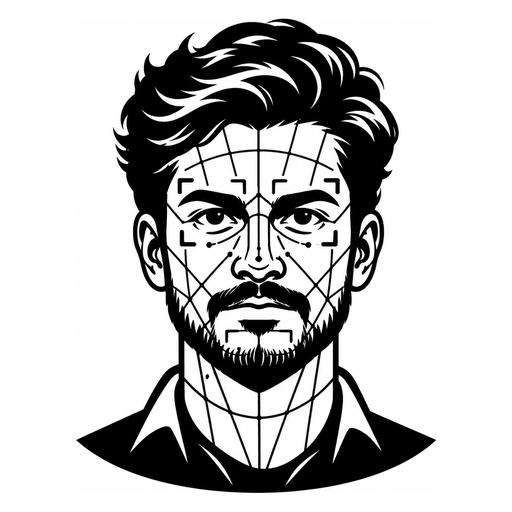
Face check-in in under a second
Any tablet or phone at the entrance becomes a face scanner. A liveness check stops photos and videos from being used to cheat.
Face recognition attendance
Staff check in with their face on any tablet or phone. Facereco records it, works out late marks and overtime, handles leave and runs payroll, for one branch or fifty.
Features
Replace the attendance register, the fingerprint machine and the payroll spreadsheet with one system that keeps itself up to date.
Any tablet or phone at the entrance becomes a face scanner. A liveness check stops photos and videos from being used to cheat.
Field staff and delivery teams check in from their own phone, with the selfie matched to their enrolled face.
Set a radius around each branch. Phone check-ins outside it are refused or flagged, with the GPS position recorded.
Morning, evening and night shifts with grace periods. Late, half-day, early exit and overtime are worked out for you.
Staff request leave, managers approve it, and the attendance register updates itself. Holidays and weekly offs included.
Salaries are calculated from the days and hours actually worked, with deductions, overtime and payslips.
Get an email about absences, late arrivals and missed check-outs, plus a daily summary of who came in.
Daily register, monthly muster roll, late and overtime reports. Export to Excel (CSV) or PDF for your accountant.
Run many branches with their own time zones, shifts and scanners, and see them all from one dashboard.
How it works
No installer visit, no special hardware and no training day.
Sign up, add your branches and set your working hours. It takes a few minutes.
Add staff or students, get their consent, and enroll each face once with a short scan.
Open the scanner on any tablet or phone at the entrance, or let staff check in from their phones.
Attendance, late marks, leave balances, reports and payroll stay up to date on their own.
Privacy and security
Face recognition only works if people trust it. Facereco is designed so that trust is easy to give.
Who it's for
Kitchen and floor staff check in at the back door. Works with QR Dines for shifts and payroll.
Student and teacher attendance, with guardian consent for minors and daily absence alerts.
No more buddy punching or shared cards. Hybrid teams check in from their phones.
Fast scans at shift change, overtime tracking and attendance by contractor or team.
Several outlets, one view of who is in, who is late and who is on leave.
Connect the two in a couple of clicks. Your outlets and staff sync to Facereco, check-ins and shifts show up in QR Dines, and payroll uses real attendance. Face data never leaves Facereco.
Pricing
Start with a 14-day free trial, no card needed. Pay monthly, or save with a yearly plan. Cancel anytime.
Plans are priced by the number of people and branches. Start with a 14-day free trial, no card needed, and we'll help you pick the right plan.
No. At enrollment Facereco turns a face into a list of numbers (a face signature) and stores only that. Photos are not kept, and the signature can't be turned back into a photo.
Any recent Android tablet, iPad or phone with a camera works as a scanner, in the browser, with nothing to install. You can also use a laptop webcam.
Every scan runs a liveness check that looks for a real, present face, so printed photos and phone screens are refused.
Yes. Turn on mobile check-in and, if you want, a location check so it only works near your branch.
Yes. Every new organization gets a free trial with all features. No card is needed.
Yes. Restaurants on QR Dines can connect Facereco to sync staff, shifts, attendance and payroll between the two.
Only your organization. Each organization's data is kept separate, every admin change is logged, and you can delete a person's face data at any time.
Set up Facereco today and have your first check-ins by this afternoon.